
XYTEM
live granular motion
is a live granular effect built around
gesture, movement, and play.
Turn incoming audio into evolving textures using a single interactive surface.
Granular sound design, without the friction.
XYTEM
Break sound into grains. Stretch it, scatter it, reshape it.
Xytem focuses on the parameters that matter most, carefully tuned for fast, musical results across a wide range of material and playing styles.
Immediate control, clear response, and predictable output—designed to support experimentation without losing direction.
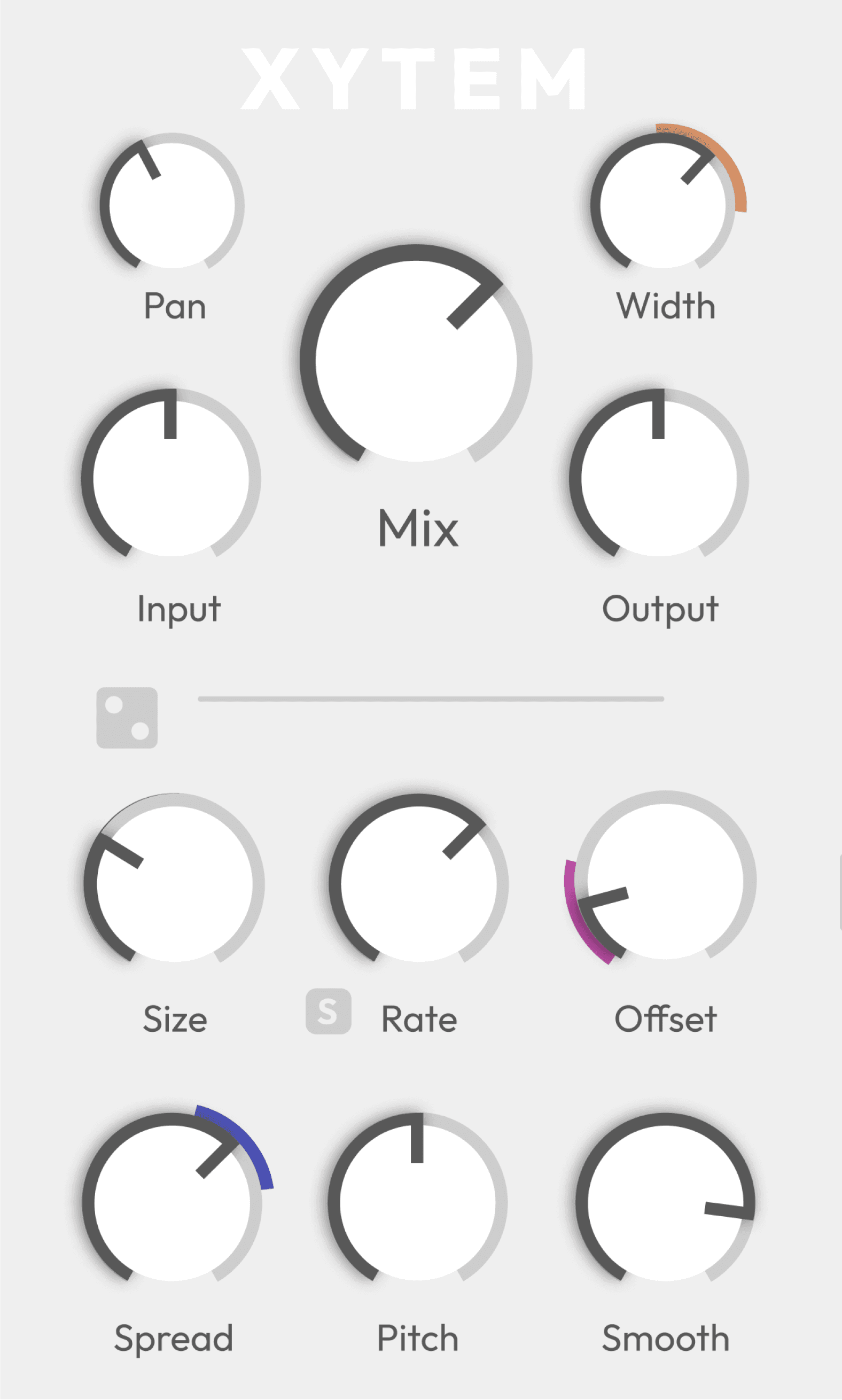
Granular synthesis, focused
A single playable surface where movement becomes modulation.
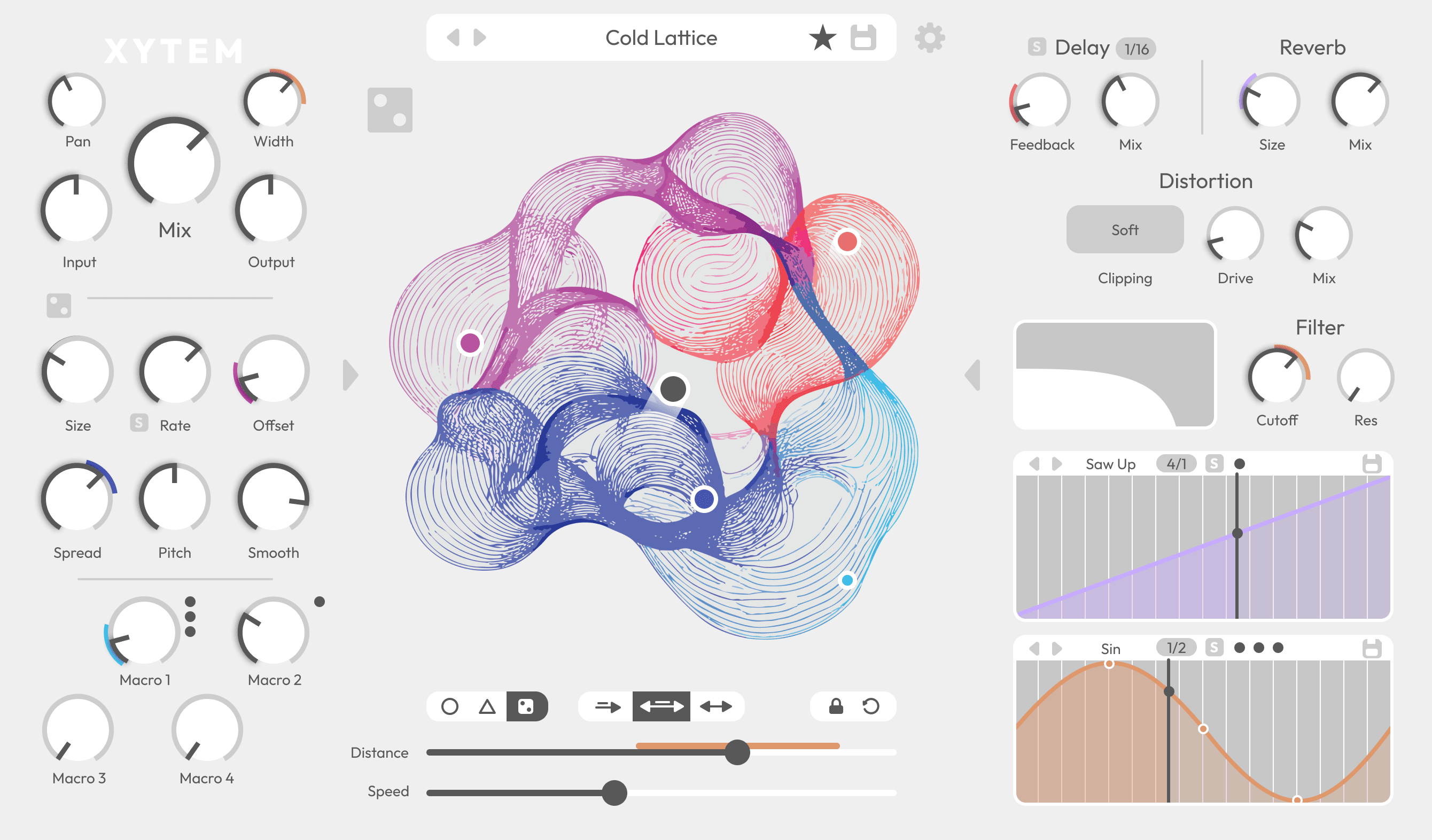
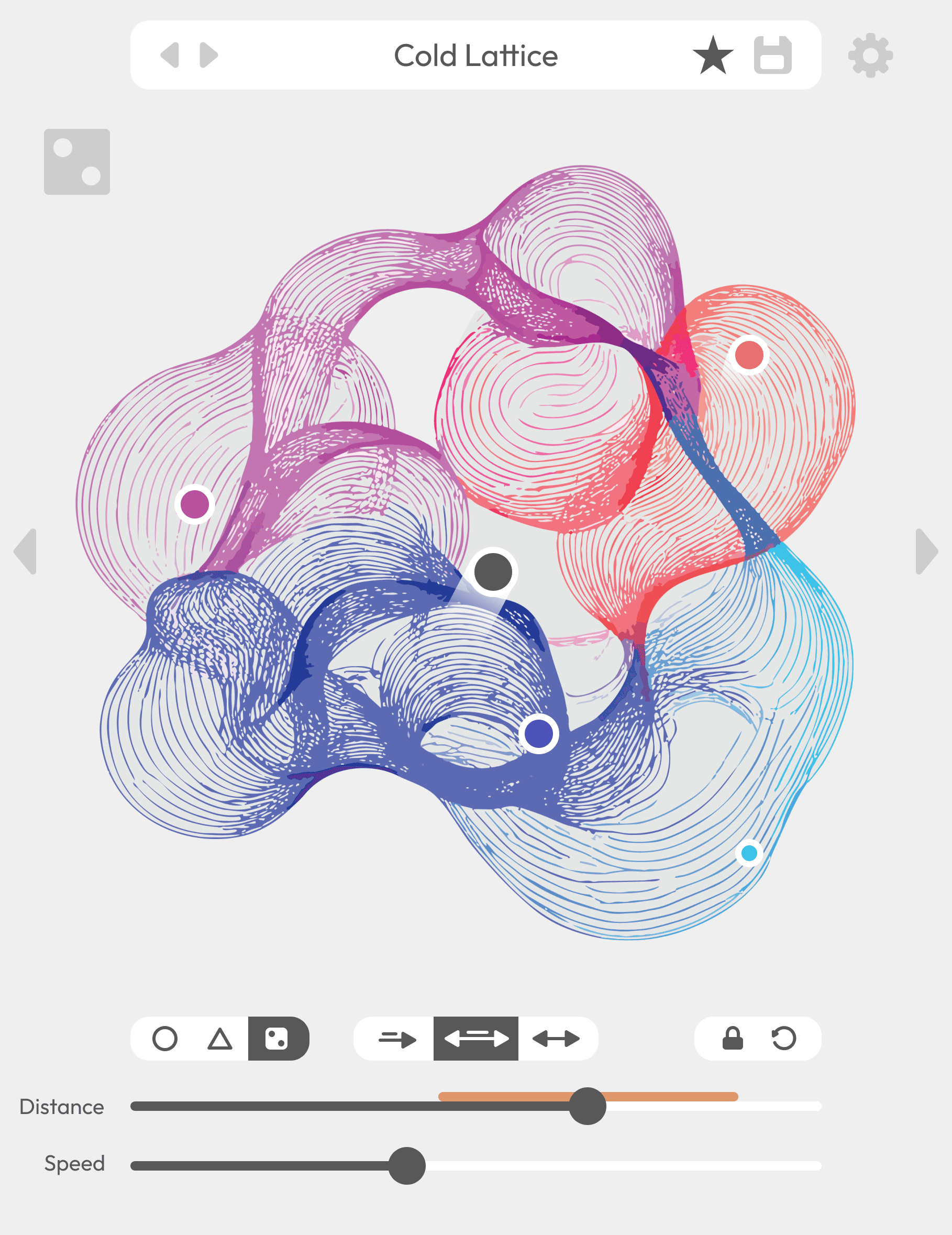
Drag and drop up to four parameters or macros into the motion field and shape them together using one main control point. Influence is defined by distance, turning motion into expressive, continuous change.
Each node can also move on its own — random, circular, or triangular — with controllable speed and range.
Play the sound.
Or let it move itself.
The motion field
Effects you can see
Four core effects designed to stay out of the way:
Low-pass filter
Delay
Reverb
Distortion
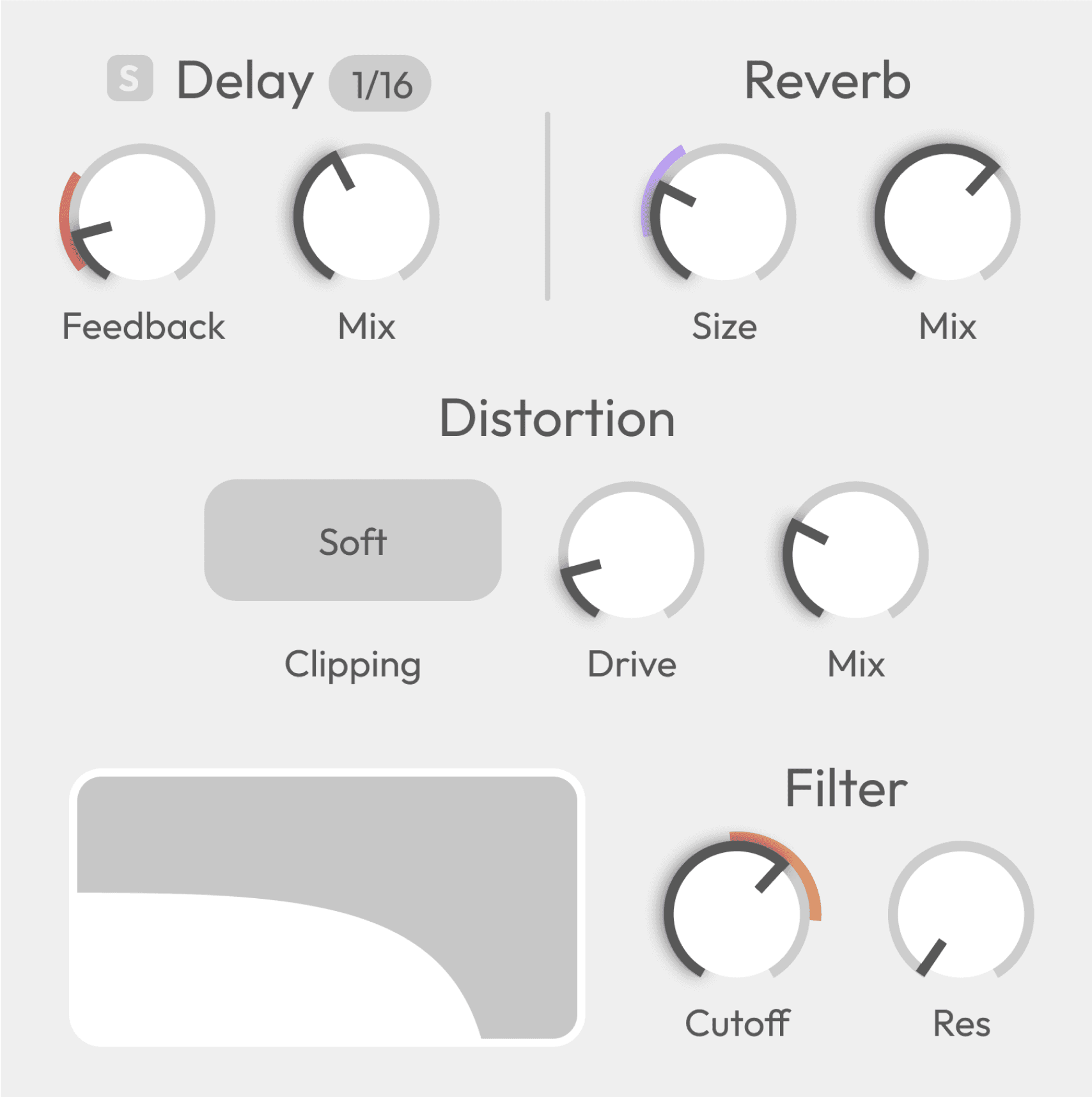
All modulation from the motion field and two LFOs is visualized directly on the controls.
See the movement. Hear the result.
Modulation as expression
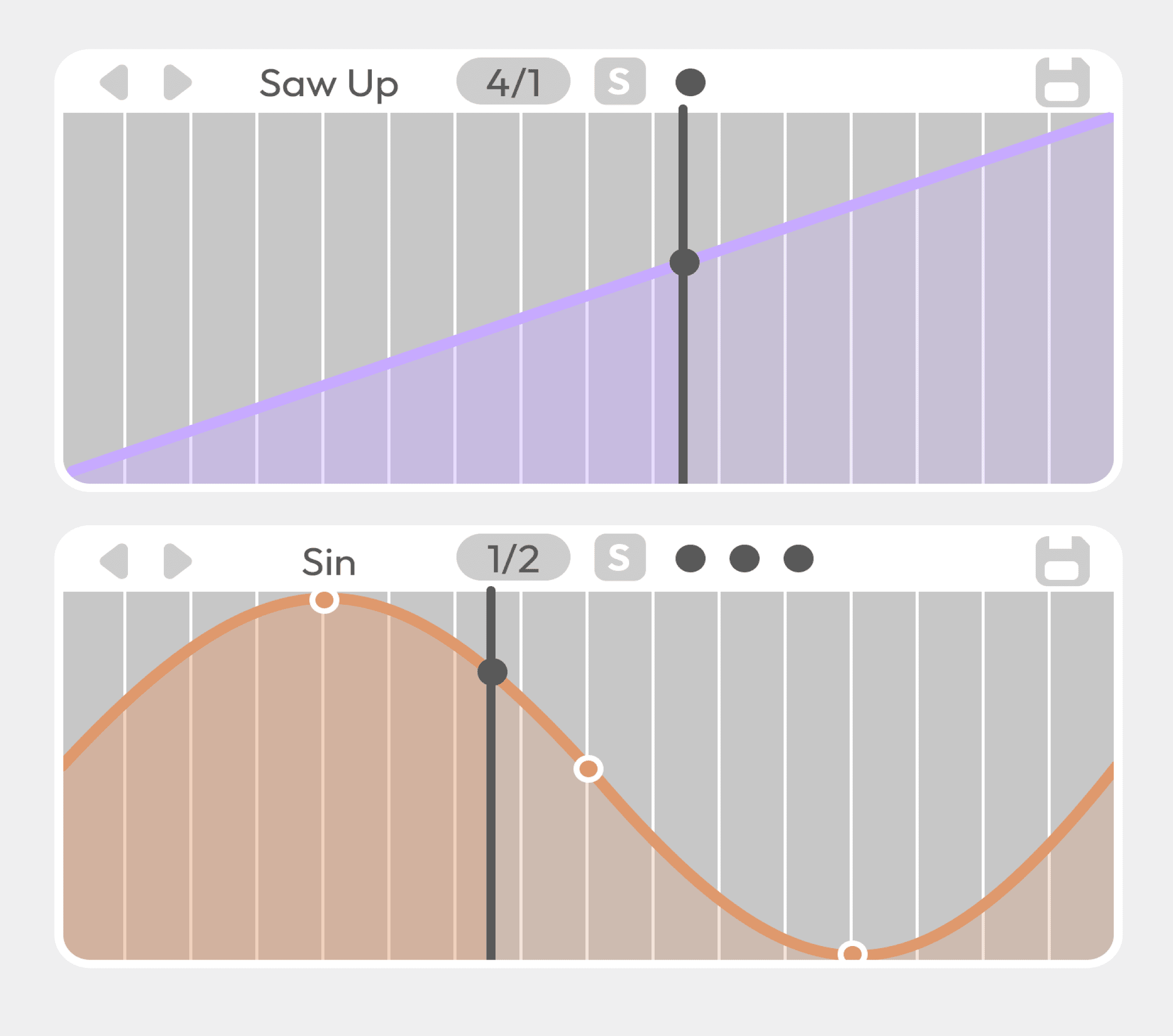
Two editable LFOs, visual modulation ranges, and randomisation tools work together to create evolving sound.
From subtle motion to generative behavior — without breaking the creative flow.
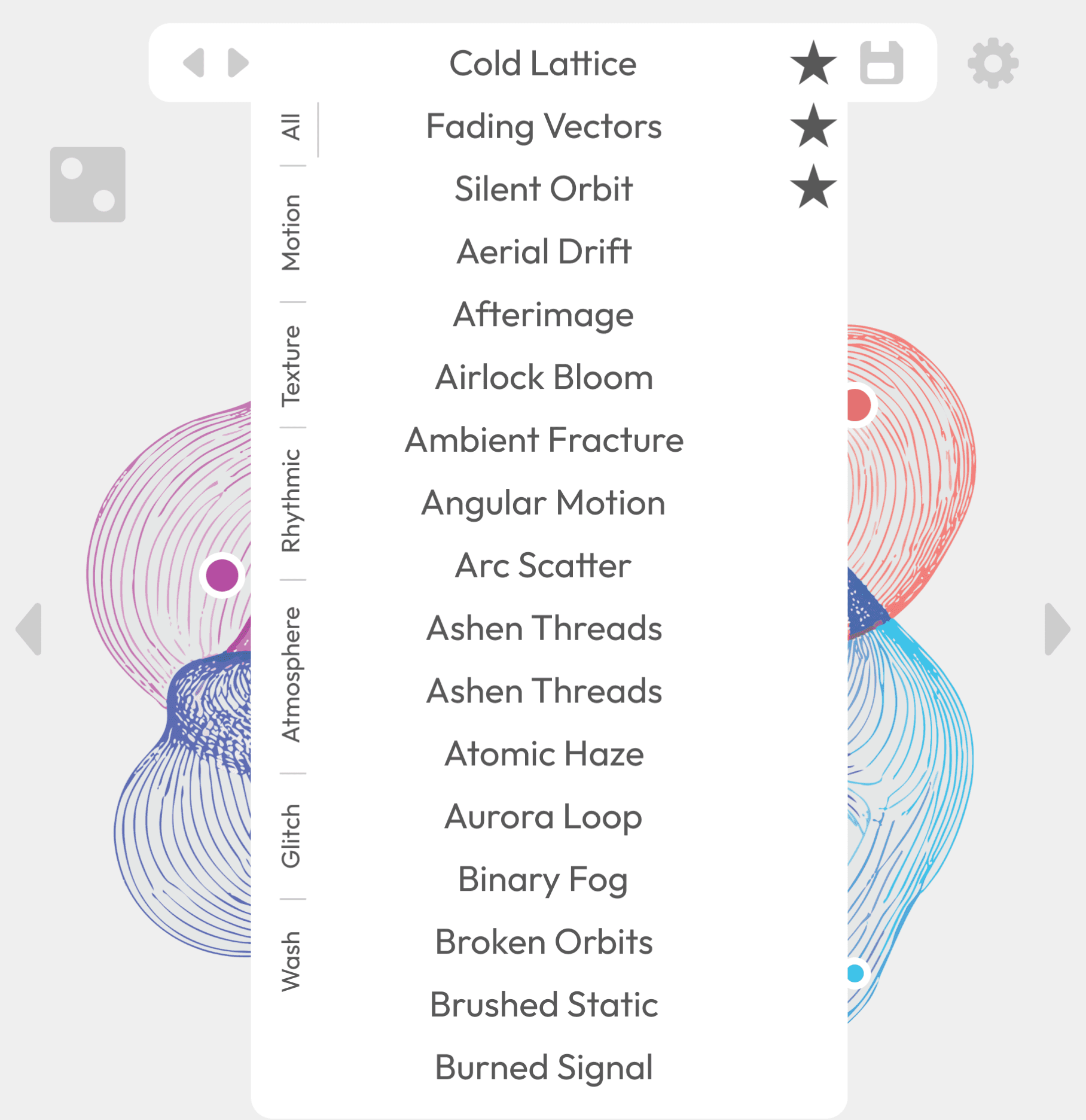
Thoughtfully crafted presets
Presets in Xytem are built to be playable, not static.
They provide fast starting points while encouraging interaction, motion, and experimentation. Use them as-is or reshape them through the motion field.
Start quickly.
End somewhere unexpected.
Choose your style
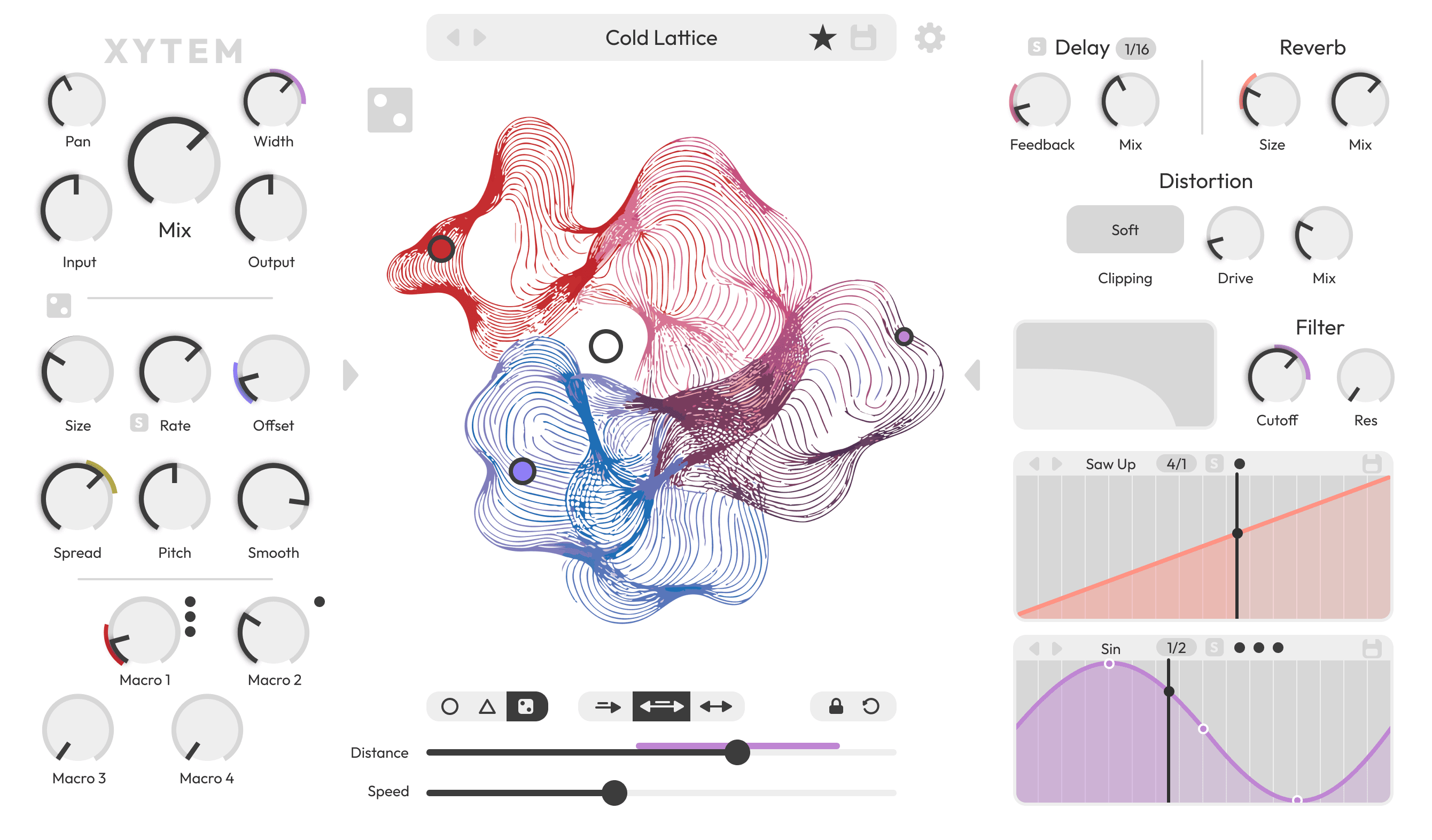
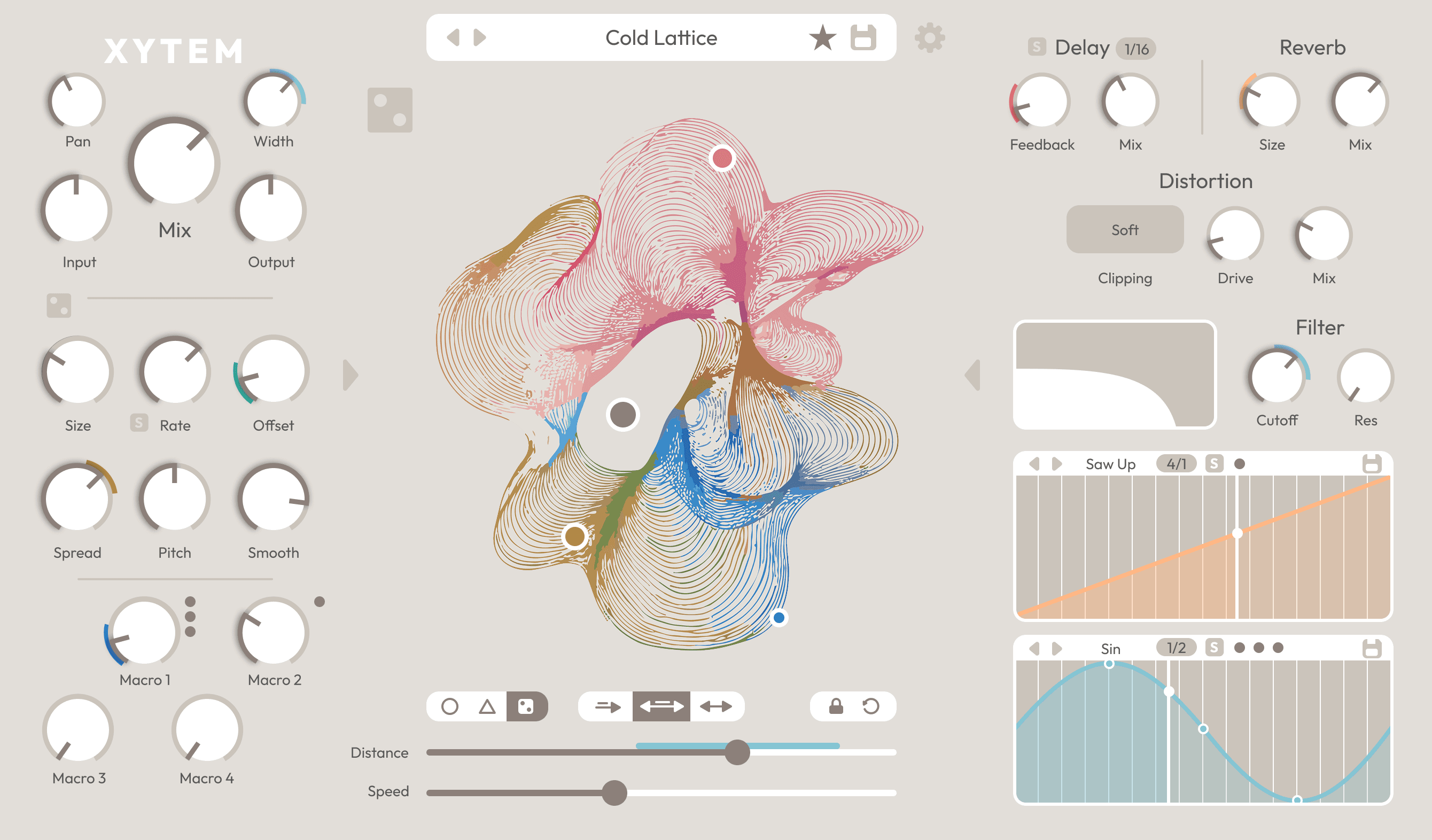
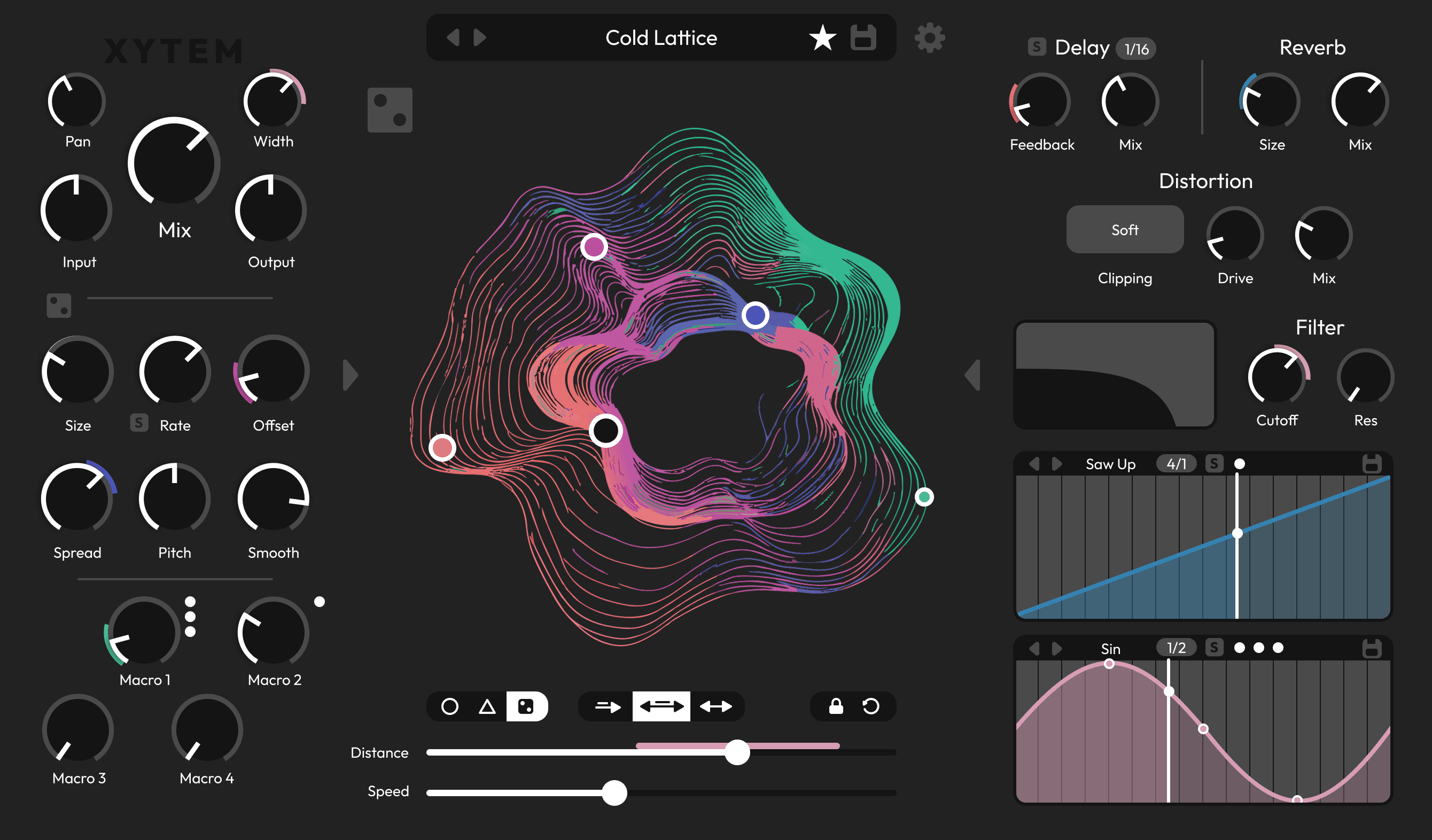
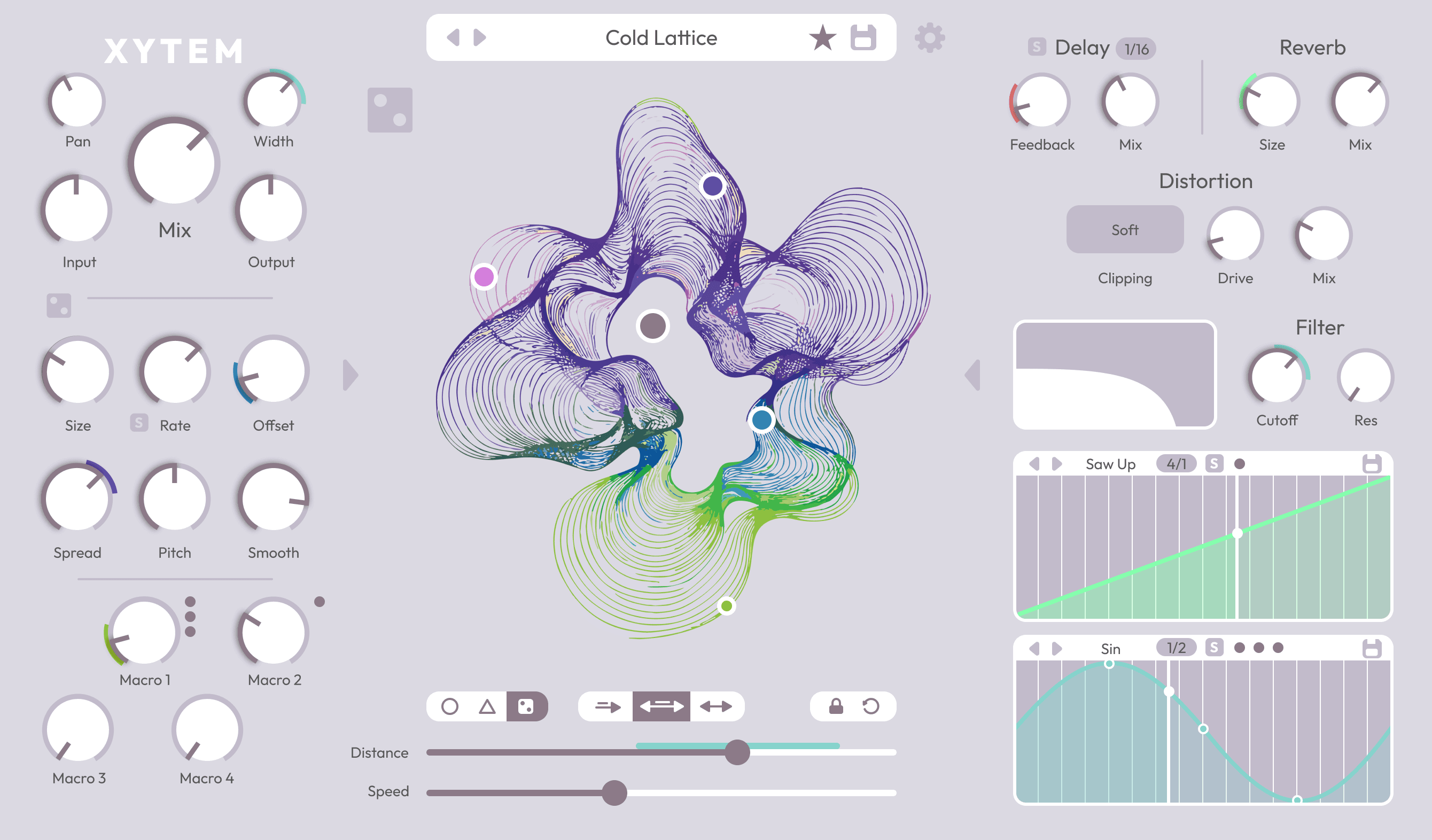
Xytem includes thoughtfully designed color themes, allowing the interface to shift from subtle and minimal to more expressive.
The User
Xytem is built for musicians and sound designers who want expressive control without getting lost in technical detail.
It suits producers looking to inject movement and texture into tracks, performers who want a live-playable effect, and sound designers who enjoy shaping sound through interaction rather than static tweaking. Whether used on drums, vocals, synths, or field recordings, Xytem adapts quickly to different workflows and creative goals.
The interface offers a clear middle ground: enough depth to reward exploration, but structured so that meaningful results are always within reach. Users can dive into detailed modulation when needed, or simply play the surface and let motion guide the sound.
The Design
Visual, motion-based granular effects have shown how expressive sound design can be when interaction goes beyond knobs and sliders. This project builds on that idea by focusing on experimentation through visible, hands-on modulation.
The interface is centered around a single motion field where parameters, automation, and movement meet. By keeping the system small but flexible — assignable nodes, two LFOs, and controlled randomisation — the design encourages trying ideas quickly and discovering unexpected results.
Rather than adding complexity, the project prioritizes immediacy and play. Modulation is easy to set up, easy to read, and designed to invite exploration without requiring deep technical knowledge.
Filter
Delay
Distortion
Reverb
Granular engine
Expressive modulation
The Motion Field
Two LFOs
Four macros
Ease of use
Effects
Visual feedback
Presets
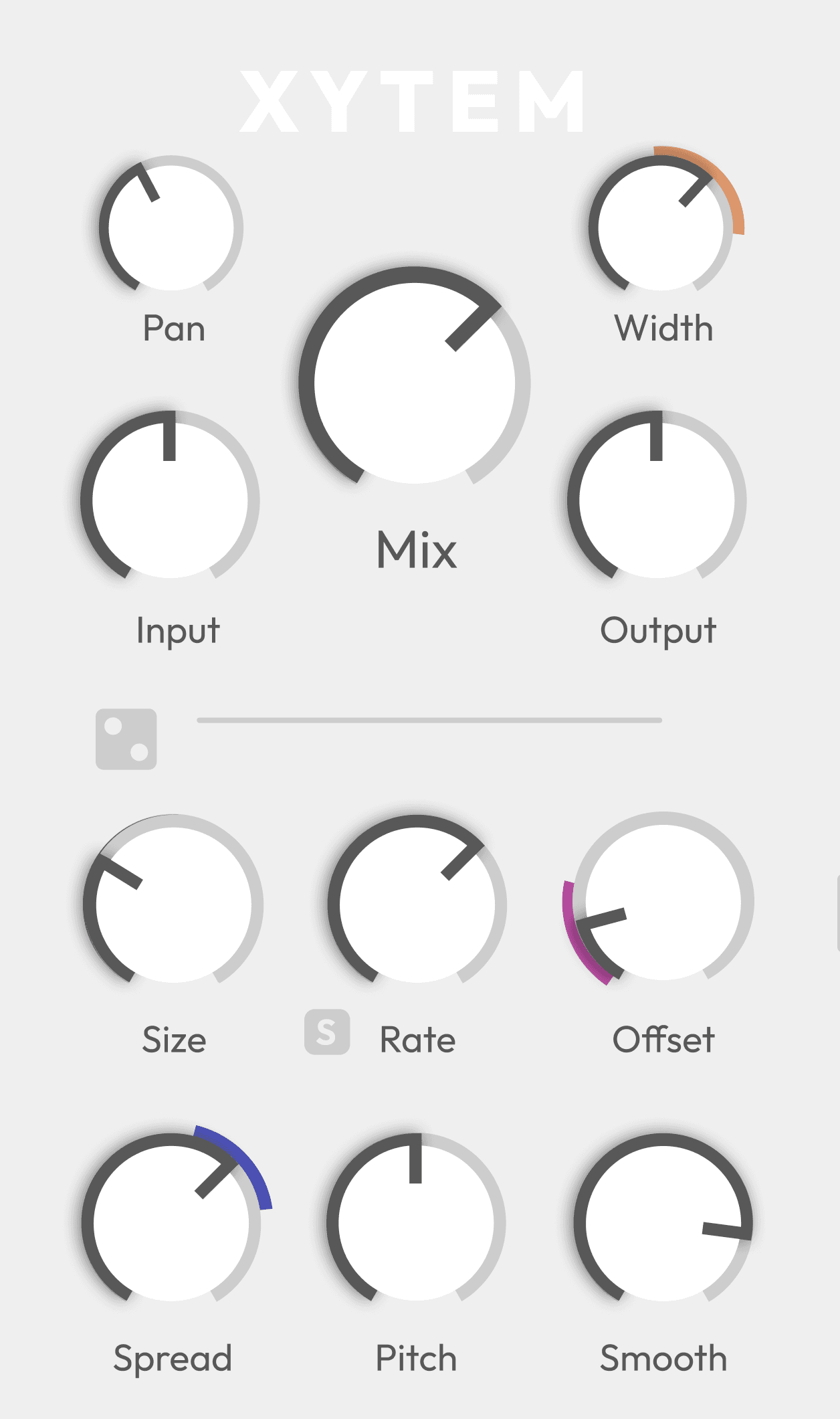
Both macros and LFOs include small circular indicators showing how many parameters are currently attached to them. This allows users to understand modulation complexity at a glance. Hovering reveals the parameter and current value, keeping detailed information accessible without cluttering.
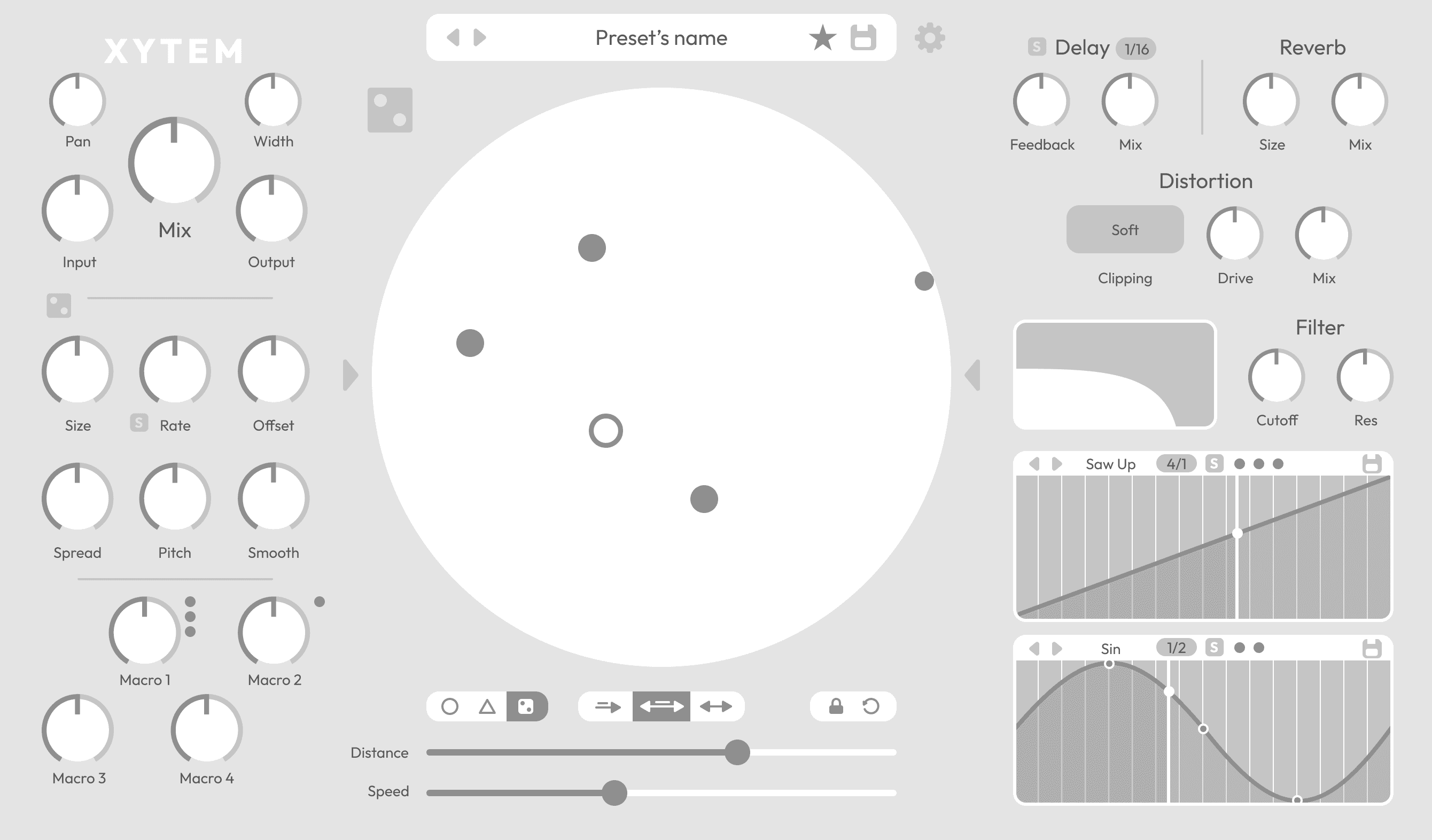
The interface is structured to encourage exploration without hiding how things work. Randomisation buttons are placed across the interface as deliberate creative tools rather than shortcuts, allowing users to quickly introduce variation and discover new states without losing orientation or control.
The motion field itself is animated and rendered using the GPU, ensuring smooth interaction without imposing a noticeable CPU load. Nodes that move beyond the visible range of the field are represented by smaller circles, providing continuous visual feedback about their state and influence even when they are out of bounds.
Sync buttons are used sparingly and only where they meaningfully relate to musical time. Their presence is meant to clarify when a parameter is tempo-aware, without turning timing into a dominant concern of the interface.
Macros, node options, and LFOs are grouped along the bottom of the window to create a continuous reading flow across modulation-related controls. This horizontal alignment reinforces their shared role, while the granular engine is positioned on the left and the effects on the right, establishing a clear separation between sound generation, processing, and modulation.
The node options section is divided into four distinct subsections. The first defines the direction of motion, offering circular, triangular, and random movement modes. The second determines how the central node influences other nodes, allowing control over speed, distance, or both. The third contains utility actions—locking node behavior and resetting nodes to their original positions. The final subsection provides two sliders for speed and distance, both displayed dynamically to reflect real-time changes.
Body
H3
H2
H1
Outfit
XYTEM
live granular motion
Xytem is a live granular effect built around gesture, movement, and play.
Turn incoming audio into evolving textures using a single interactive surface.
Granular sound design, without the friction.
Granular synthesis, focused
Break sound into grains. Stretch it, scatter it, reshape it.
Xytem focuses on the parameters that matter most, carefully tuned for fast, musical results across a wide range of material and playing styles.
Immediate control, clear response, and predictable output—designed to support experimentation without losing direction.
The motion field
A single playable surface where movement becomes modulation.
Drag and drop up to four parameters or macros into the motion field and shape them together using one main control point. Influence is defined by distance, turning motion into expressive, continuous change.
Each node can also move on its own — random, circular, or triangular — with controllable speed and range.
Play the sound.
Or let it move itself.
Effects you can see
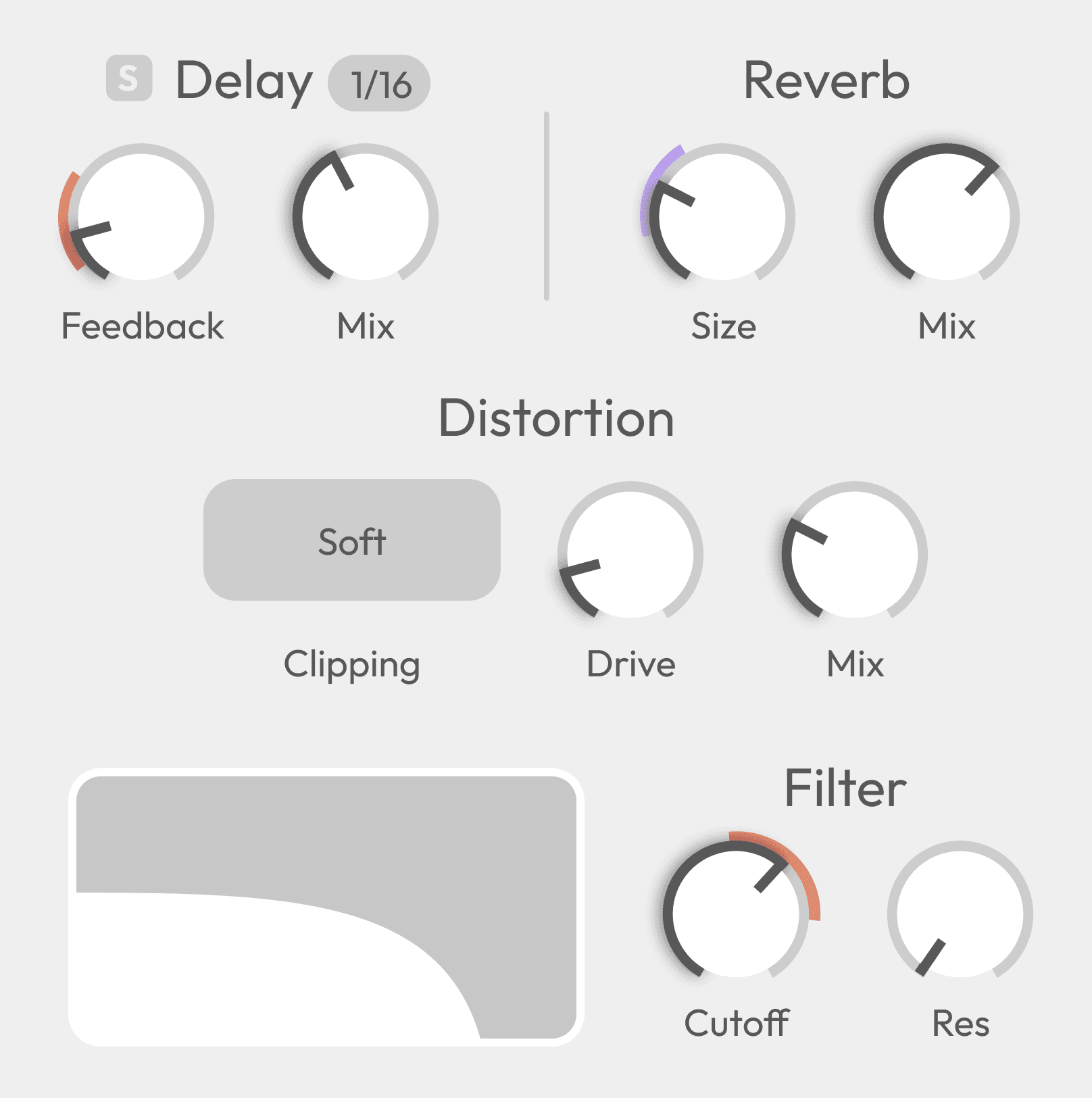
Four core effects designed to stay out of the way:
Low-pass filter
Delay
Reverb
Distortion
All modulation from the motion field and two LFOs is visualized directly on the controls.
See the movement. Hear the result.
Modulation as expression
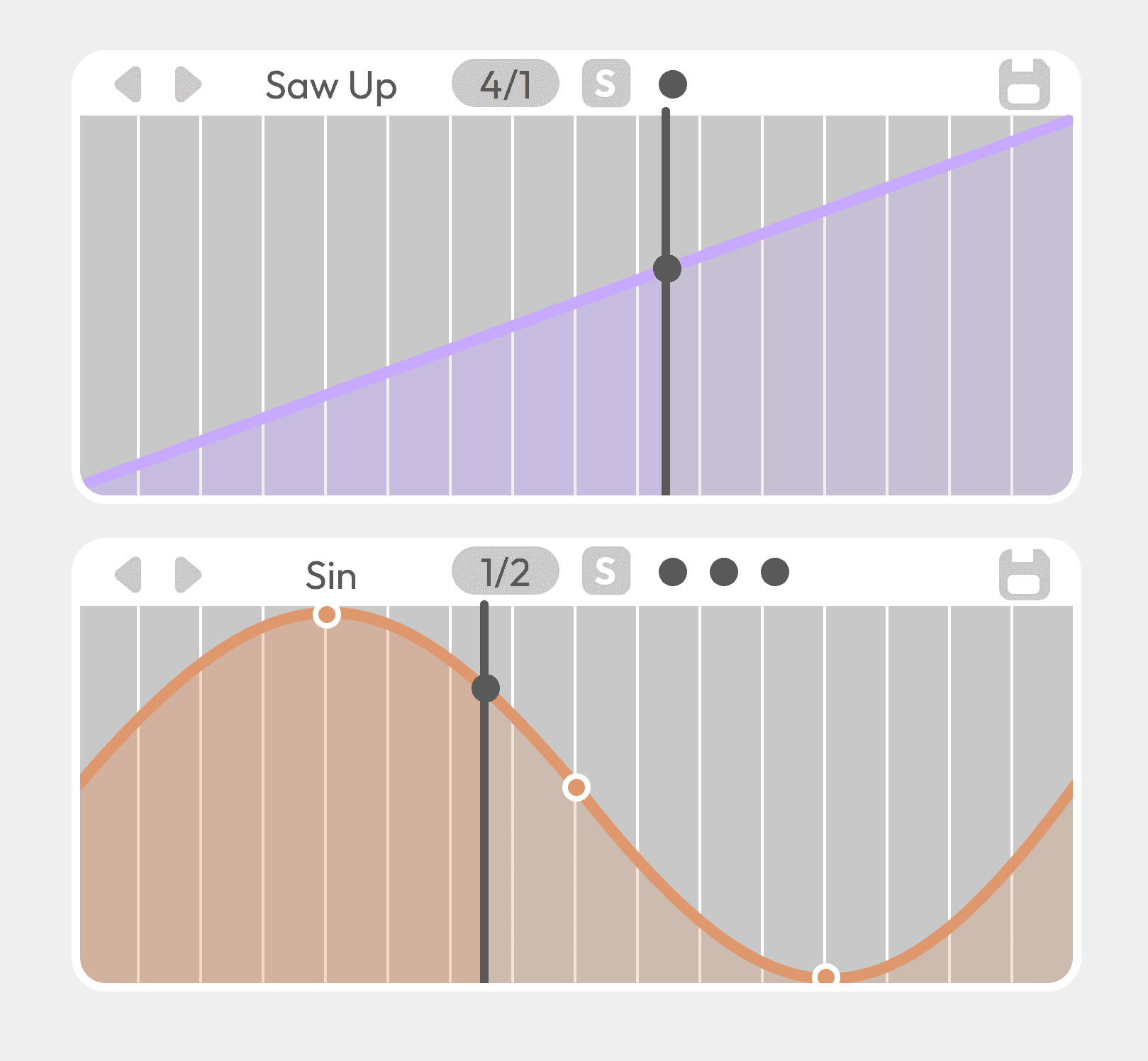
Two editable LFOs, visual modulation ranges, and randomisation tools work together to create evolving sound.
From subtle motion to generative behavior — without breaking the creative flow.
Thoughtfully crafted presets
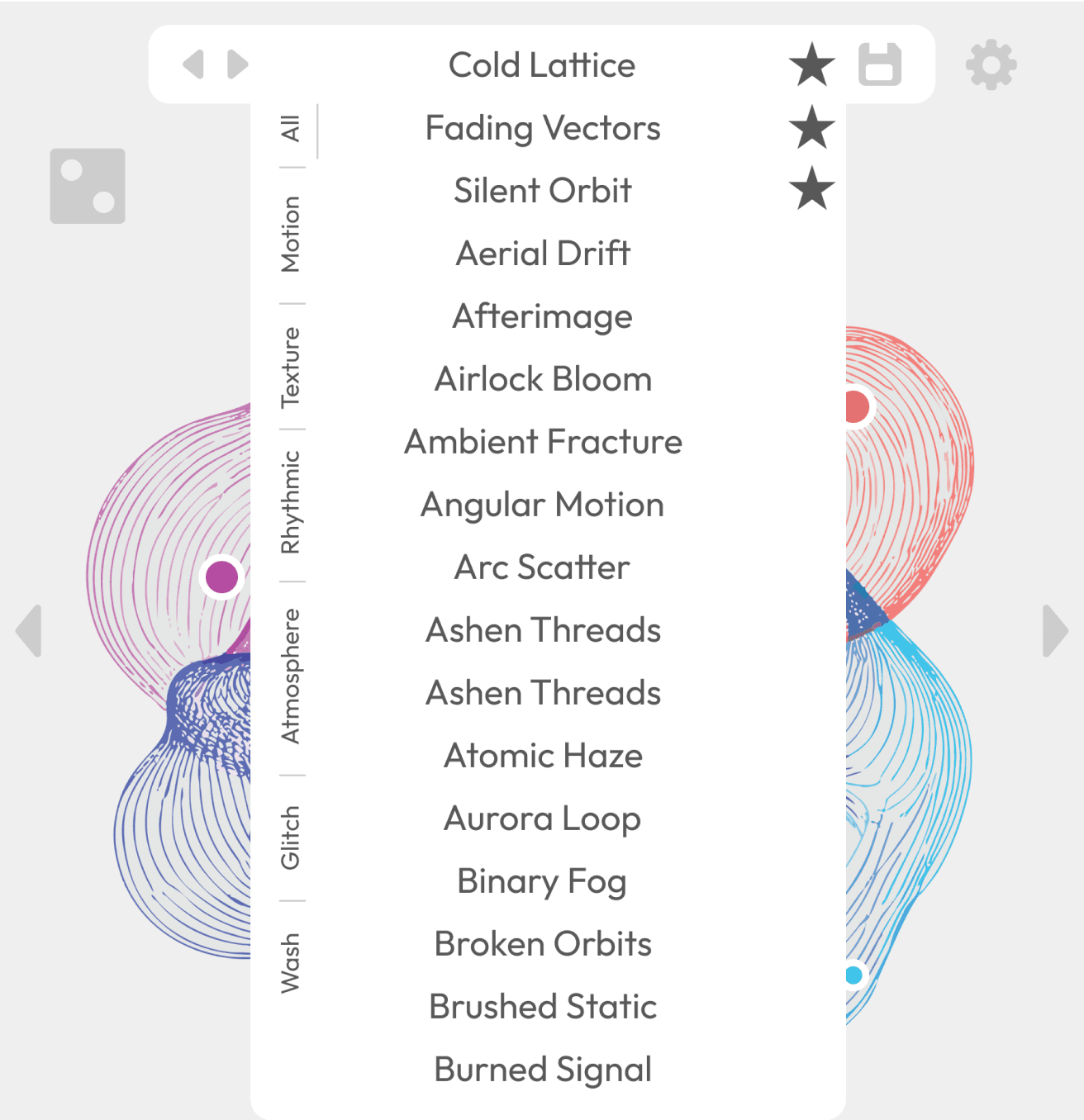
Presets in Xytem are built to be playable, not static.
They provide fast starting points while encouraging interaction, motion, and experimentation. Use them as-is or reshape them through the motion field.
Start quickly.
End somewhere unexpected.
Choose your style
Xytem includes thoughtfully designed color themes, allowing the interface to shift from subtle and minimal to more expressive.
The User
Xytem is built for musicians and sound designers who want expressive control without getting lost in technical detail.
It suits producers looking to inject movement and texture into tracks, performers who want a live-playable effect, and sound designers who enjoy shaping sound through interaction rather than static tweaking. Whether used on drums, vocals, synths, or field recordings, Xytem adapts quickly to different workflows and creative goals.
The interface offers a clear middle ground: enough depth to reward exploration, but structured so that meaningful results are always within reach. Users can dive into detailed modulation when needed, or simply play the surface and let motion guide the sound.
The Design
Visual, motion-based granular effects have shown how expressive sound design can be when interaction goes beyond knobs and sliders. This project builds on that idea by focusing on experimentation through visible, hands-on modulation.
The interface is centered around a single motion field where parameters, automation, and movement meet. By keeping the system small but flexible — assignable nodes, two LFOs, and controlled randomisation — the design encourages trying ideas quickly and discovering unexpected results.
Rather than adding complexity, the project prioritizes immediacy and play. Modulation is easy to set up, easy to read, and designed to invite exploration without requiring deep technical knowledge.
The interface is structured to encourage exploration without hiding how things work. Randomisation buttons are placed across the interface as deliberate creative tools rather than shortcuts, allowing users to quickly introduce variation and discover new states without losing orientation or control.
The motion field itself is animated and rendered using the GPU, ensuring smooth interaction without imposing a noticeable CPU load. Nodes that move beyond the visible range of the field are represented by smaller circles, providing continuous visual feedback about their state and influence even when they are out of bounds.
Sync buttons are used sparingly and only where they meaningfully relate to musical time. Their presence is meant to clarify when a parameter is tempo-aware, without turning timing into a dominant concern of the interface.
Macros, node options, and LFOs are grouped along the bottom of the window to create a continuous reading flow across modulation-related controls. This horizontal alignment reinforces their shared role, while the granular engine is positioned on the left and the effects on the right, establishing a clear separation between sound generation, processing, and modulation.
Both macros and LFOs include small circular indicators showing how many parameters are currently attached to them. This allows users to understand modulation complexity at a glance. Hovering reveals the parameter and current value, keeping detailed information accessible without cluttering.
The node options section is divided into four distinct subsections. The first defines the direction of motion, offering circular, triangular, and random movement modes. The second determines how the central node influences other nodes, allowing control over speed, distance, or both. The third contains utility actions—locking node behavior and resetting nodes to their original positions. The final subsection provides two sliders for speed and distance, both displayed dynamically to reflect real-time changes.

H1
Body
H2
H3
Outfit